
When the Call Connects, So Do They: Remote Access Delivery via Fake Meetings



Executive Summary
In late February 2026, Netcraft identified a campaign involving fake Google Meet and Zoom pages to lure users into fraudulent video calls that ultimately deliver remote-access software. Initial reporting identified uswebzoomus[.]com/zoom hosting this content. Netcraft analysis uncovered several additional domains hosting identical fake meeting pages.
One of the domains, us01web-zoom[.]us, was previously observed in infrastructure linked to a 2025 ClickFix campaign. ClickFix is a social engineering technique used by multiple threat actors, including the group tracked as Storm-1865, though its presence alone does not allow definite attribution.
WHOIS data indicates that us01web-zoom[.]us was registered on February 17, 2026, approximately one year after its previous observed use. It is unclear whether this reflects re-registration by the original operator or reuse by different actors.
Initial Investigation
Visitors to the identified domains are presented with a fake Zoom or Google Meet interface showing an active meeting, typically featuring “Matthew Karlsson” as Project Manager. The page indicates that additional participants are expected to join.
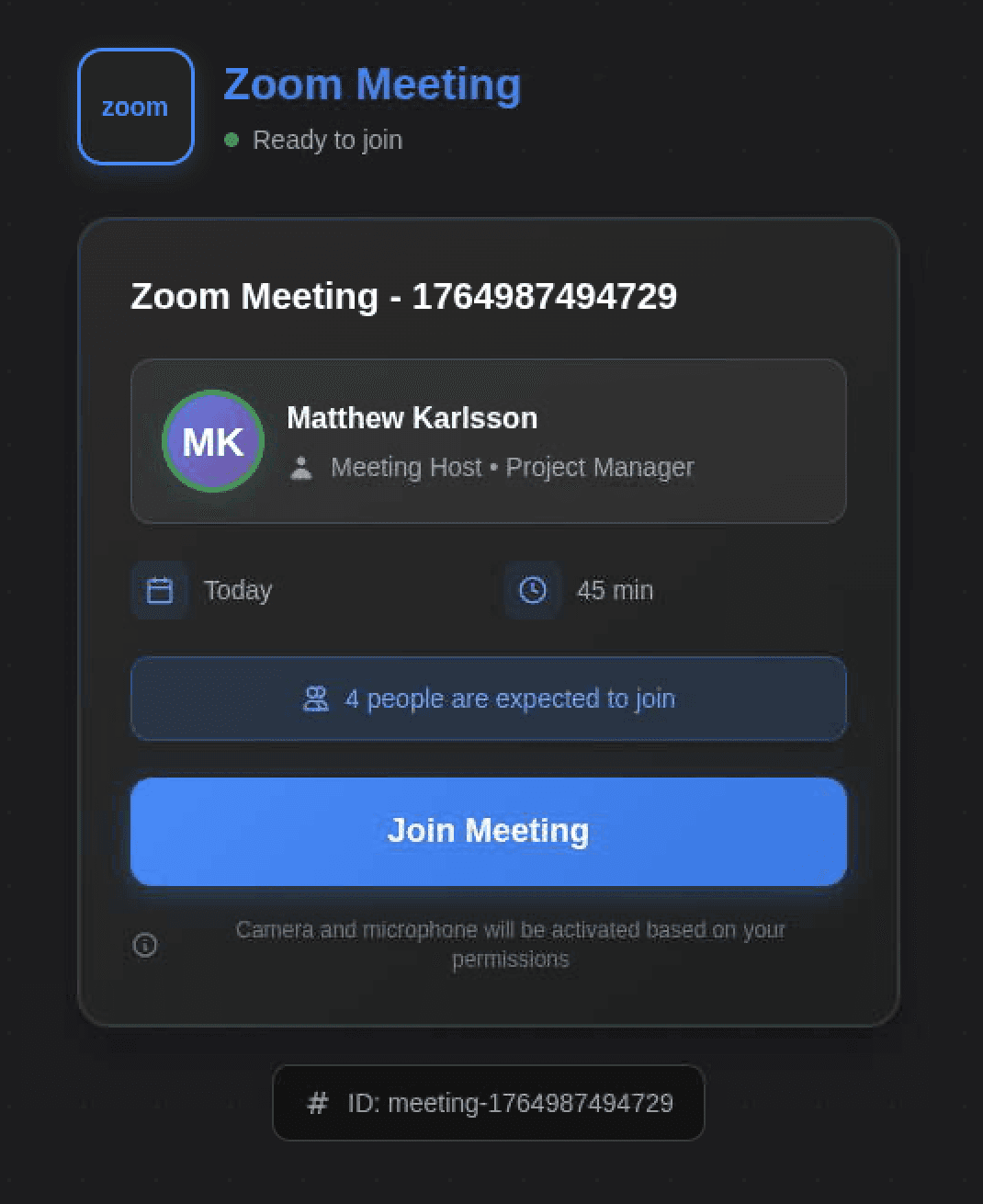
Figure 1. Fake Zoom meeting page.
Netcraft observed that each site displayed the same Meeting ID, “1764987494729”. Using this identifier embedded in the page source, Netcraft identified several additional domains hosting the same meeting interface, including:
hxxps://9ooggleactivemeett[.]live/in/invite.php
hxxps://zooooom[.]it[.]com/
hxxps://9googllemeett[.]live/
hxxps://googlemeetme[.]us/
hxxps://greenwayauto[.]sale/
hxxps://zooom-cal-imvite-zoom-session[.]org/zoooommeeting/
hxxps://dhvault[.]com/
hxxps://wc-42j.pages[.]dev/
Several of these domains are now inaccessible, display suspended hosting pages, or expose open directory listings. Archived search engine indexing indicates they previously hosted the same or similar meeting content.
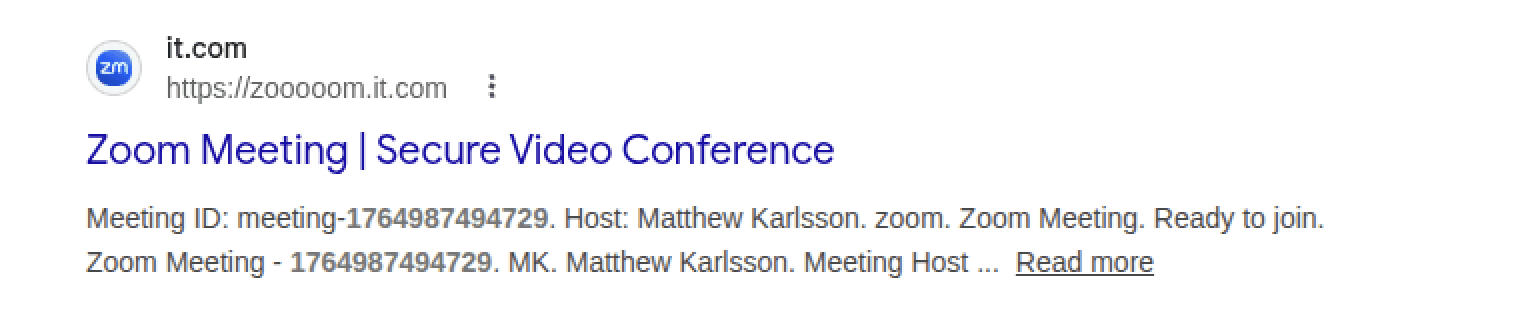
Figure 2. Indexed page content.
Joining the Call
When a victim joins the meeting, several additional participants appear in the call, accompanied by legitimate Zoom join chimes. Audio quality is intentionally distorted, creating the impression of connection problems or an outdated client.
Shortly afterward, the page displays a prompt indicating that Zoom requires an update. The page then triggers a browser download of a file named “Zoom_Update.scr.”
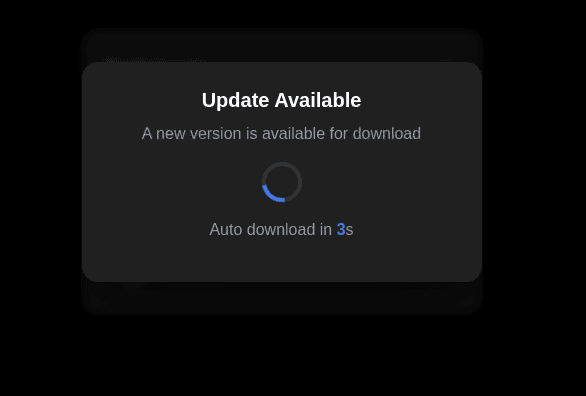
Figure 3. Update popup.
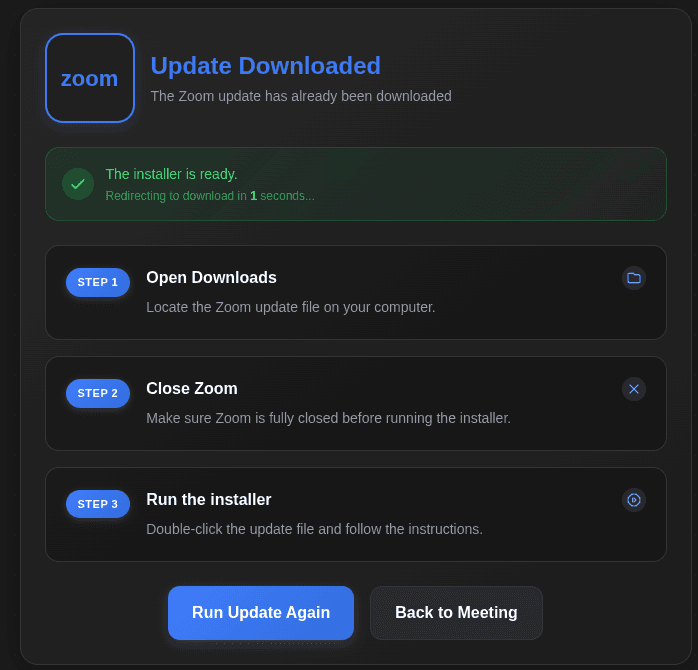
Figure 4. Update confirmation page.
Payload Analysis
During Netcraft testing of us01web-zoom[.]us, joining the fake meeting triggered the download of a file named “Zoom_Update.scr” (SHA256: 1de8291997afa344fb21c83449b424f4d16978e0a8a866b7667754b88e72da00).
Although the .scr extension is typically associated with Windows screensavers, .scr files are standard Windows PE executables and can execute arbitrary code. At the time of analysis, the sample was detected by 18/70 security vendors on VirusTotal, primarily classified as a remote administration or hacktool variant.
The binary’s internal filename, “Remote Access-windows64-offline.exe.ico,” suggests the executable may originate from a remote administration tool build process rather than Zoom software.
Malwarebytes reported a separate payload associated with the campaign: a signed MSI installer (SHA256: 644ef9f5eea1d6a2bc39a62627ee3c7114a14e7050bafab8a76b9aa8069425fa) identified as a stealth-configured Teramind agent. Teramind is a legitimate employee monitoring platform; in this case, the installer was preconfigured to connect to an attacker-controlled server and operate in stealth mode without a visible interface.
Additional Payloads
Netcraft identified several additional payload variants distributed through related domains.
Google Meet–Themed Payloads
The URL hxxps://9ooggleactivemeett[.]live/in/invite.php delivered a file named GoogleMeet.scr (SHA256: 96c421a915873a51a14fcbdbad84f8608f0679b03855158fe0ab85a6228c10a2). Despite the screensaver extension, the file is a 64-bit executable internally named “Remote Access-windows64-offline.exe.ico.” VirusTotal detections classified it primarily as a remote access or hacktool variant.
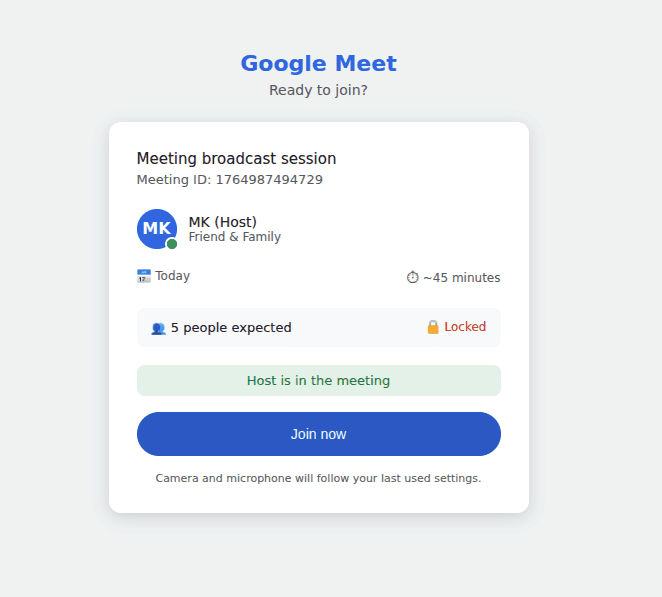
Figure 5: Fake Google Meet page.
Another domain, hxxps://goggllemmeettiingnc[.]com/meett/invite.php, delivered Google_Meet_Setup.exe (SHA256: 4af9b93dbb15a7da8120404bddf93028716673b15baca6338b533e7e8c232418). At the time of analysis, this sample had no security vendor detections. While this could indicate benign software, its delivery mechanism mirrors other malicious variants in the campaign.
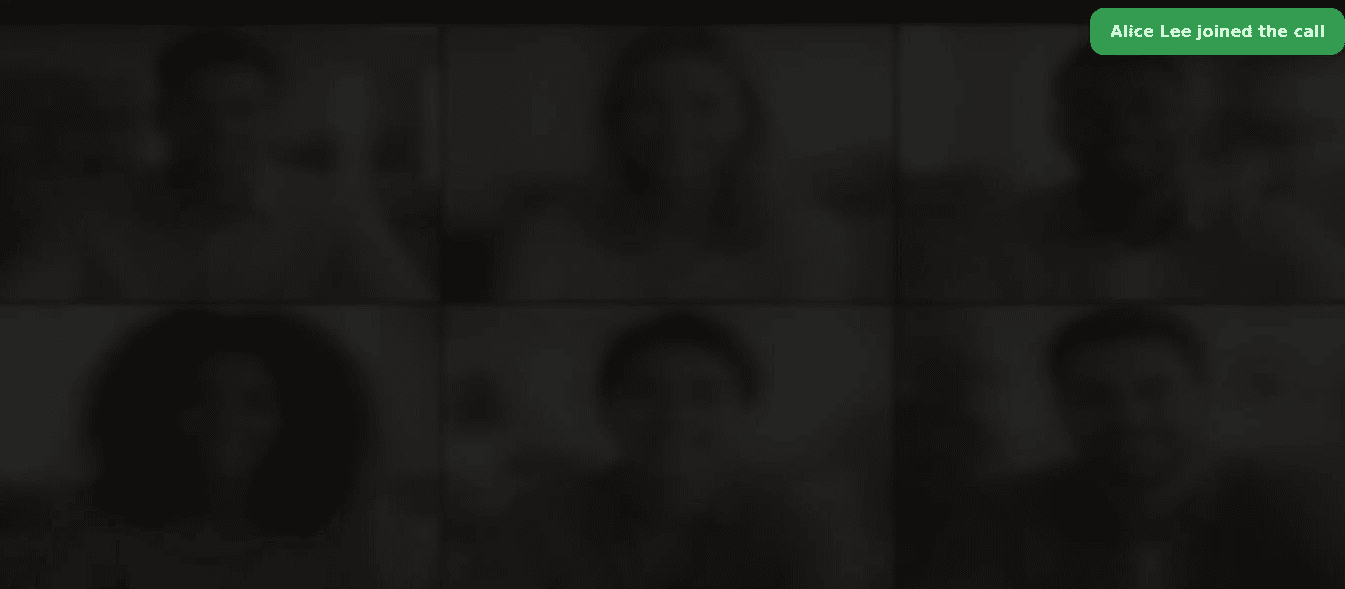
Figure 6. Fake Google Meet joining page.
Additional Examples
The domain hxxps://greenwayauto[.]sale/ delivered an MSI installer named ZoomUpdateInstaller.msi (SHA256: ae8df1133d370407811292b9feaecb0b068ec12d14f0e237e13615e4048c63c0). Several vendors identified the sample as a ConnectWise-related remote administration tool.
ConnectWise Control is a legitimate remote support platform frequently abused by threat actors to establish persistent access under the guise of authorized remote management software. The installer was digitally signed, although the certificate used for signing has since been revoked.
Similarly, hxxps://zooom-cal-imvite-zoom-session[.]org/zoooommeeting/ downloaded Zoomupdateinstaller.exe (SHA256: ebb7f1c3f175c04e87fddce36f694ead62d89e16585a5d117e77b5f2abb13073). Multiple vendors classify this executable as a remote administration or hacktool utility.
Assessment
The campaign distributes multiple remote-access through the same social engineering lure. Observed payloads include:
Executables masquerading as a meeting update using the .scr extension.
MSI installers deploying legitimate remote support software such as ConnectWise Control
Commercial monitoring software configured for covert remote access.
Although the fake Zoom or Google Meet experience remains consistent across domains, the payload delivered varies. This suggests the operators prioritize establishing remote access using whichever tooling is most effective rather than relying on a single malware family.
The reuse of infrastructure previously linked to ClickFix activity provides historical context but does not allow for definitive attribution
Recommendations
Organizations should consider the following defensive measures:
Block execution of downloaded executables, particularly .scr, .exe, and .msi files launched directly from user Downloads folders or temporary file locations such as AppData\Local\Temp
Educate users that legitimate Zoom and Google Meet sessions do not require mid-call executable downloads, and that automatic “update” prompts within browser-based meetings should be treated as suspicious.
Adopt application allowlisting to prevent unapproved remote access tools or monitoring agents from executing.
Netcraft has published IOCs relating to this campaign to our Github repository.


